
Sign up to Ovee Talent – Quick Start Guide
Create your Ovee Profile in seconds not minutes and start accessing opportunities.
To get started with Ovee, you will receive an invitation link or QR code.
This invitation may come from:
- An organisation that uses Ovee, inviting you to join their talent community, or
- Ovee directly, inviting you to join one of our Curated Public Talent Pools.
Simply click the link or scan the QR code to begin creating your Ovee Profile.
Your Ovee Profile allows organisations to understand your skills, experience, qualifications and availability, helping them connect you with relevant opportunities.
Before proceeding, please ensure you review the Ovee Privacy and Data Security Policy.
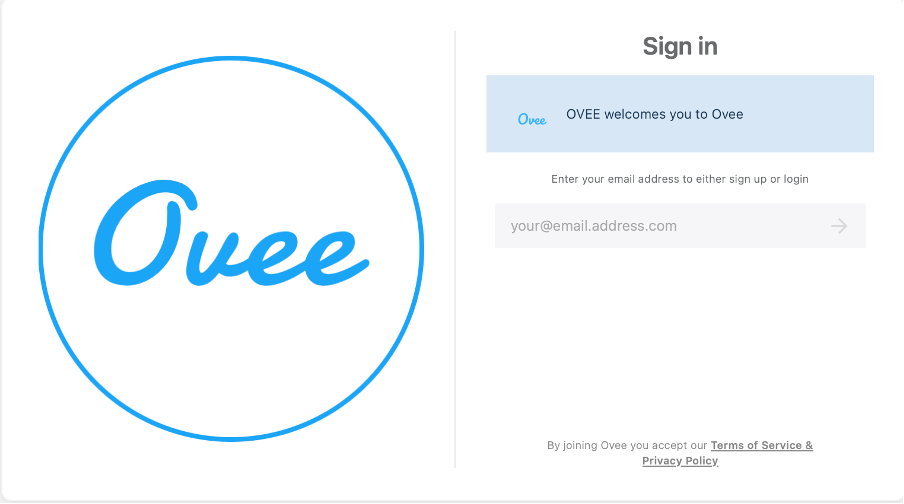
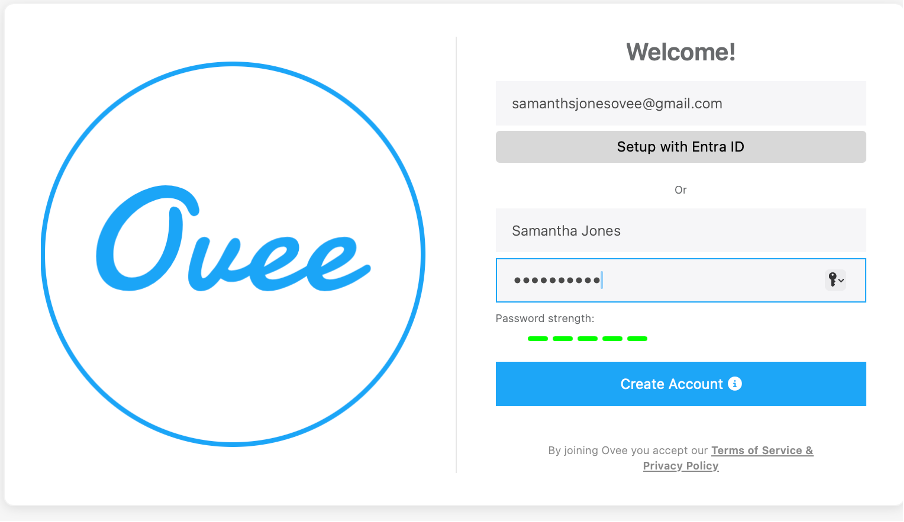
Enter your details and select Create Account.
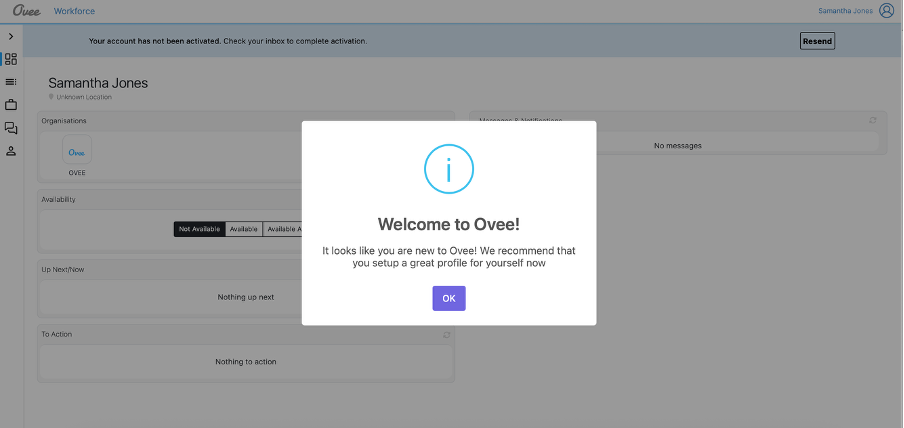
You will see the Ovee welcome screen.
Click OK to continue.
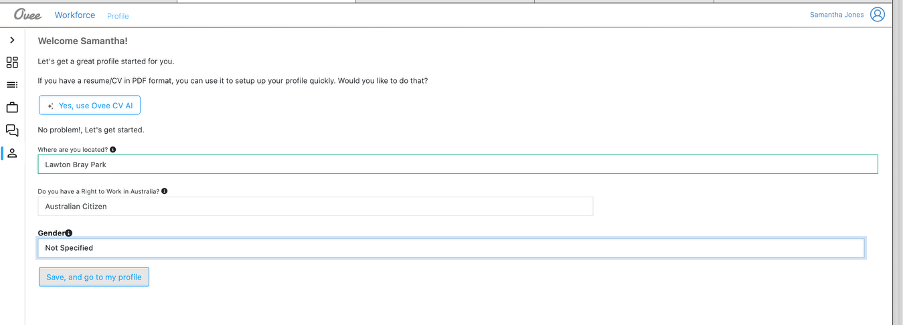
Review your profile details and update anything if needed.
Click Save and Go to My Profile.
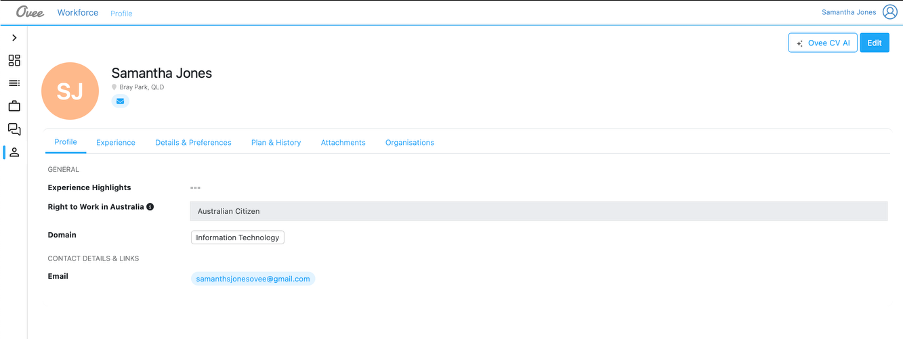
Choose how to create your profile:
A) Use Ovee CV AI
B) Manual Setup
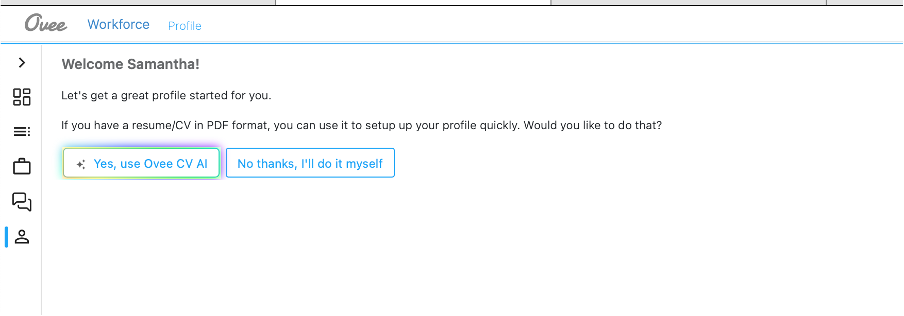
A) Using Ovee CV AI
Select “Yes, use Ovee CV AI” (Recommended)
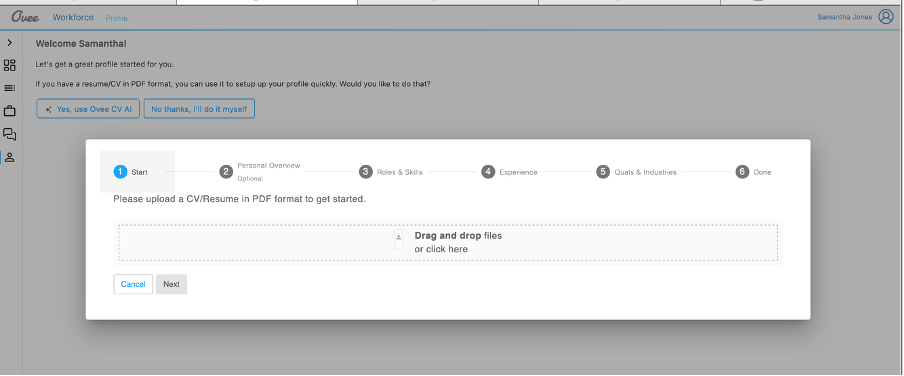
Ovee AI automatically builds your profile.
Upload your CV in PDF format.
Ovee AI will:
- determine your suited roles, skills, experience etc
- Automatically create your Ovee Profile
You can edit any information later.
Apply to your profile details and complete the remaining fields and information required to complete your profile.
And then click “Save, and to go to my profile.”
You can now edit your profile.
B) Manual Setup
Enter your skills and experience yourself.
Complete the required fields and
Setup your Profile Manually
Go to Edit
Complete the fields and press Save
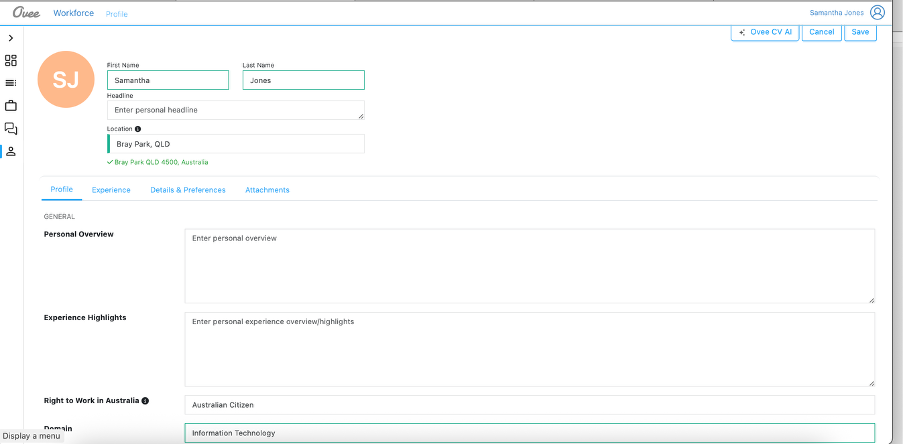
You can update your profile anytime using the Edit Profile button.
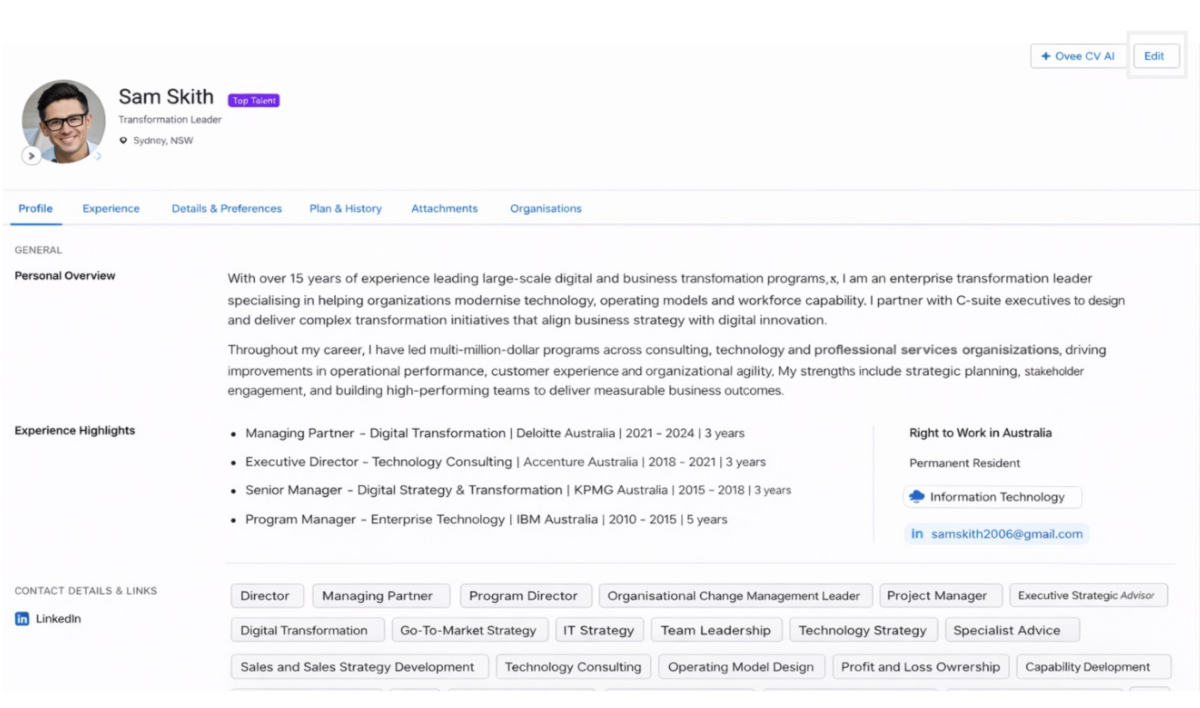
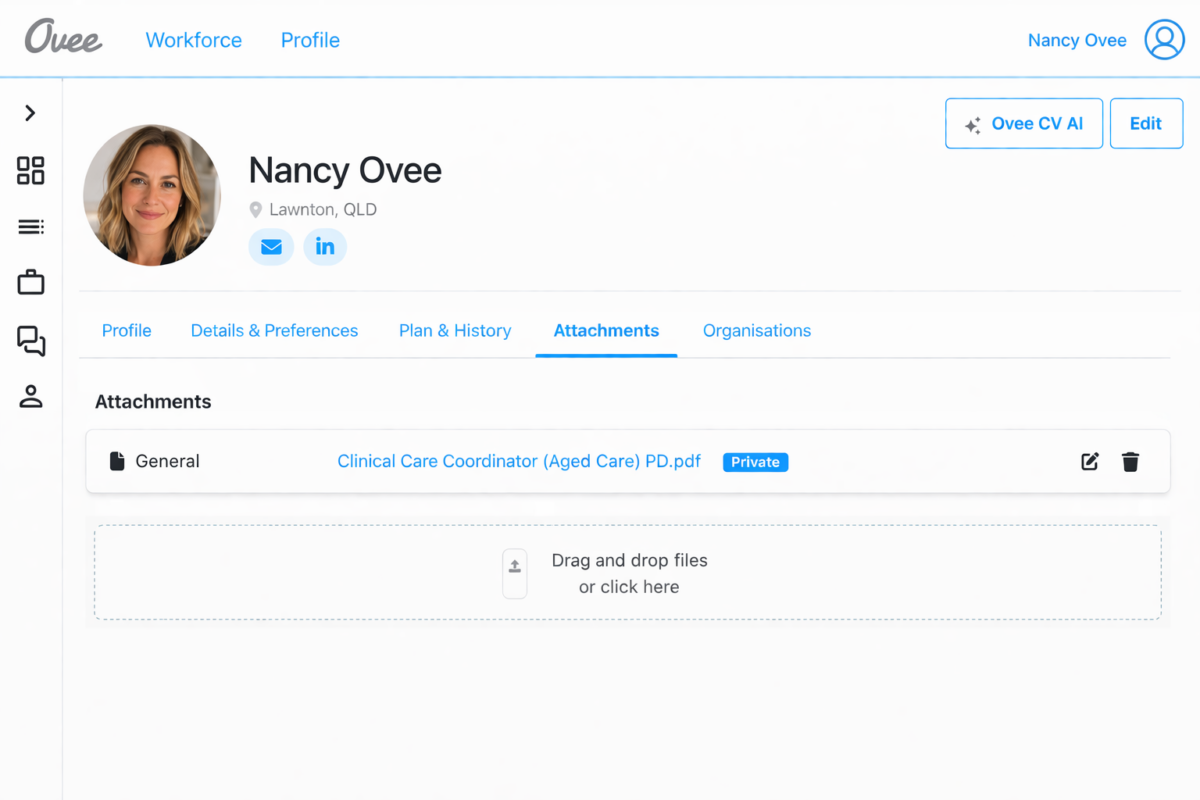
You can upload additional CVs and choose visibility:
🔒 Private – visible only to you
🌐 Public – visible to the organisation
Steps:
- Go to the Attachments tab on your Personal Profile screen.
- Select Drag and Drop or Click Here to upload your CV.
- Upload your CV in .PDF format.
Once uploaded, your CV will automatically be saved as Private, meaning only you can view it.
If you would like organisations to view your CV:
- Locate the visibility icon (second from the right).
- Select the icon and change the setting from Private to Public.
Once set to Public, organisations you are connected with will be able to view your CV as part of your Ovee Profile
You will receive an email from Ovee asking you to activate your account.
Click the activation link in the email to verify your account.
This step is required before you can receive job opportunities from organisations.
Getting Started with Ovee
Step-by-step guides to help talent sign up, create their profile and start receiving opportunities through Ovee.
Ovee helps professionals connect with organisations and receive opportunities that match their skills, experience and availability.
Your Ovee Profile acts as your professional marketplace profile, allowing organisations to quickly understand your capabilities and engage you for work.
Tips for Getting the Most from Ovee:
✔ Keep your availability up to date
✔ Use Ovee AI to create your profile
✔ Maintain a complete profile
✔ Update your skills and experience regularly
✔ Respond to opportunities quickly
✔ Upload relevant CVs or certifications
A strong Ovee profile increases your chances of receiving the right opportunities.
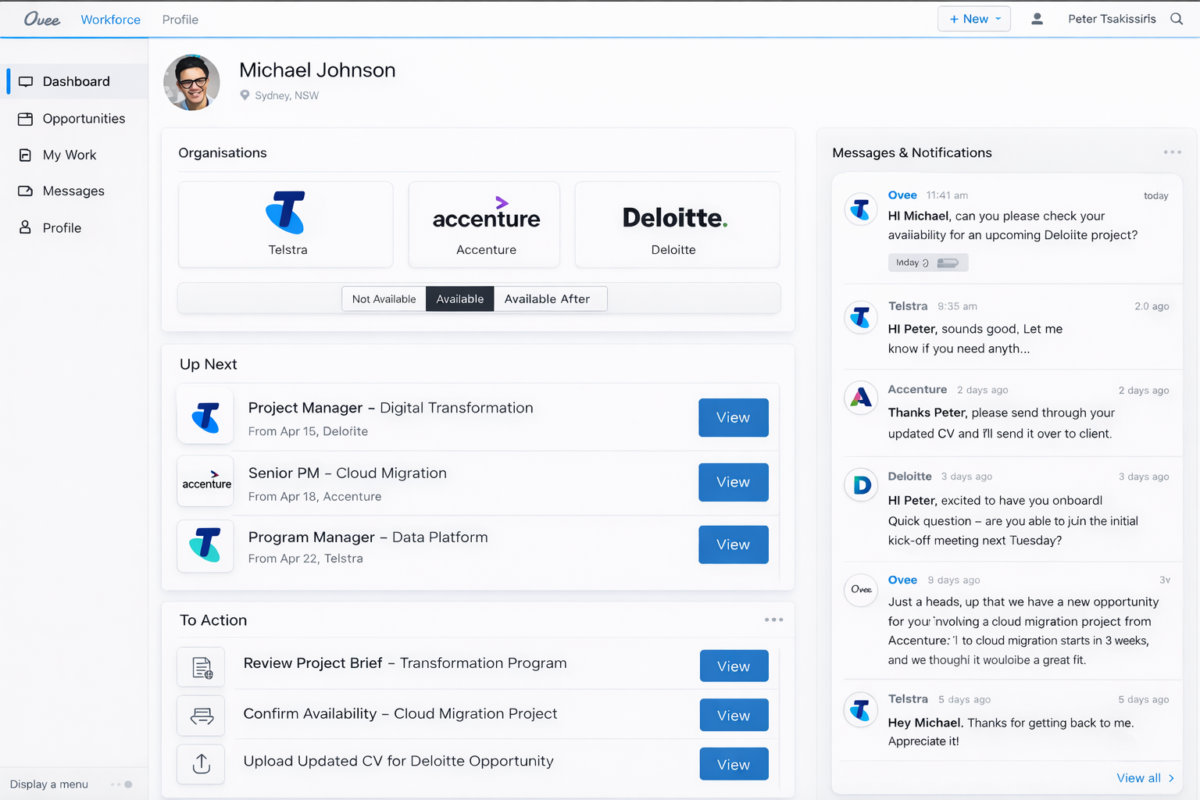
Your Dashboard is the home screen of Ovee.
Here you can quickly see:
- See organisations you are connect to
- Youravailability status
- Upcoming engagements
- New opportunities
- Messages and notifications
Keeping your availability up to date helps organisations match you with relevant opportunities.
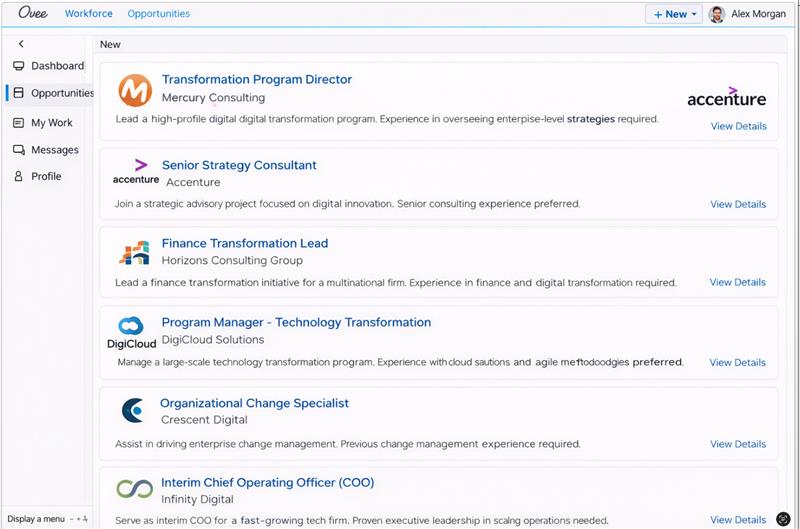
The Opportunities section shows roles matched to your profile.
Ovee uses your:
- Skills
- Experience
- Roles
- Availability
to connect you with relevant work.
When an opportunity appears you can:
- Review the role and organisation
- See duration and location details
- Mark Interested or Not Interested
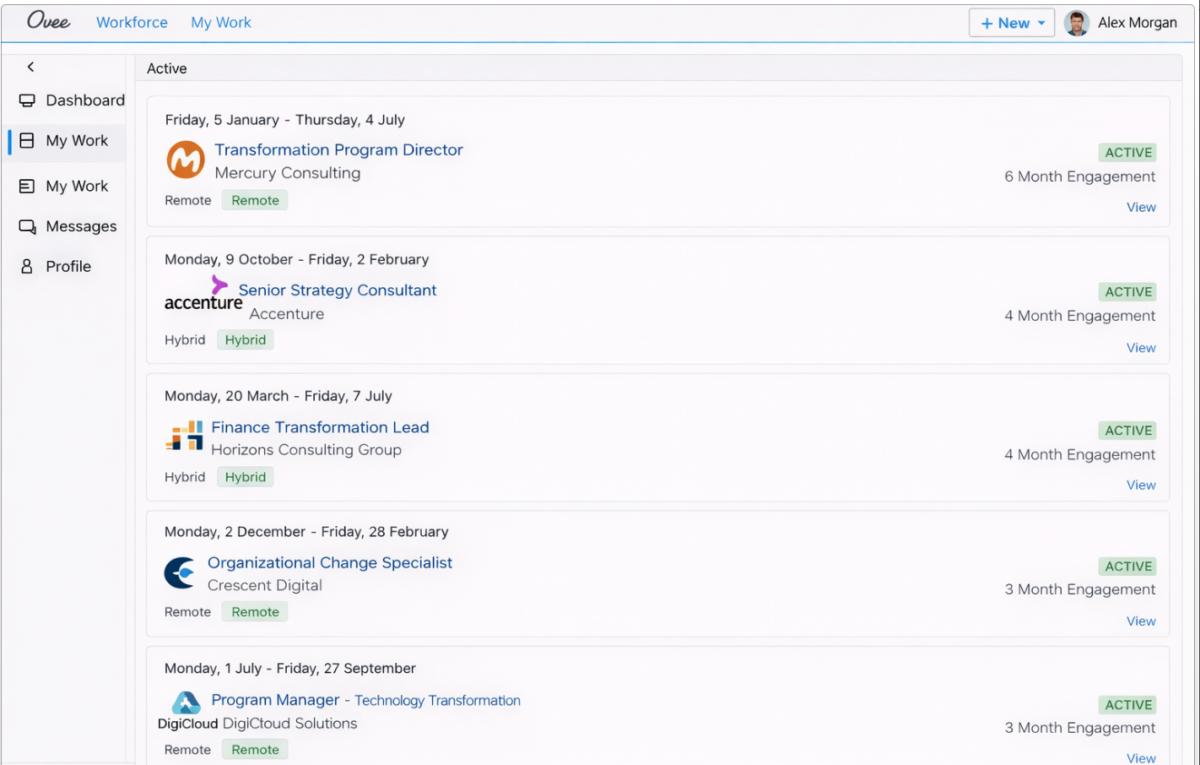
The My Work section displays all engagements you have accepted through Ovee.
You can view:
- Current assignments
- Upcoming engagements
- Past work history
This helps you track your professional engagements in one place.
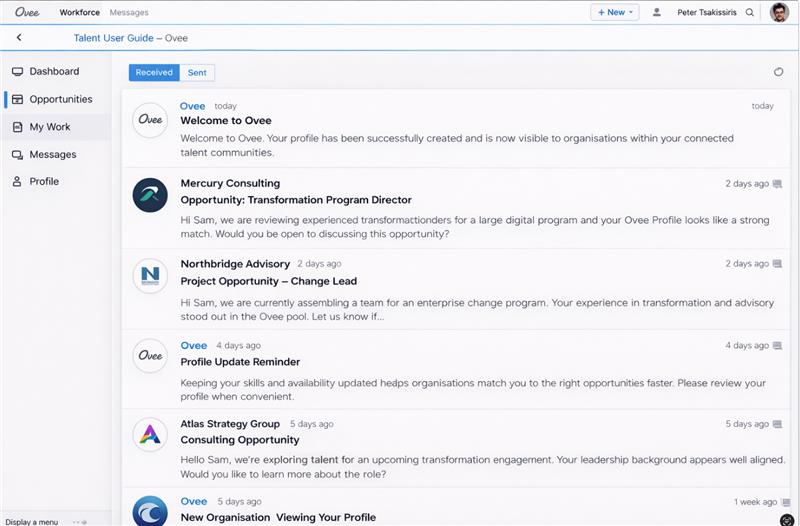
The Messages section allows you to communicate directly with organisations.
You can:
- Read and reply to messages
- Discuss opportunities
- Clarify engagement details
- Coordinate work arrangements
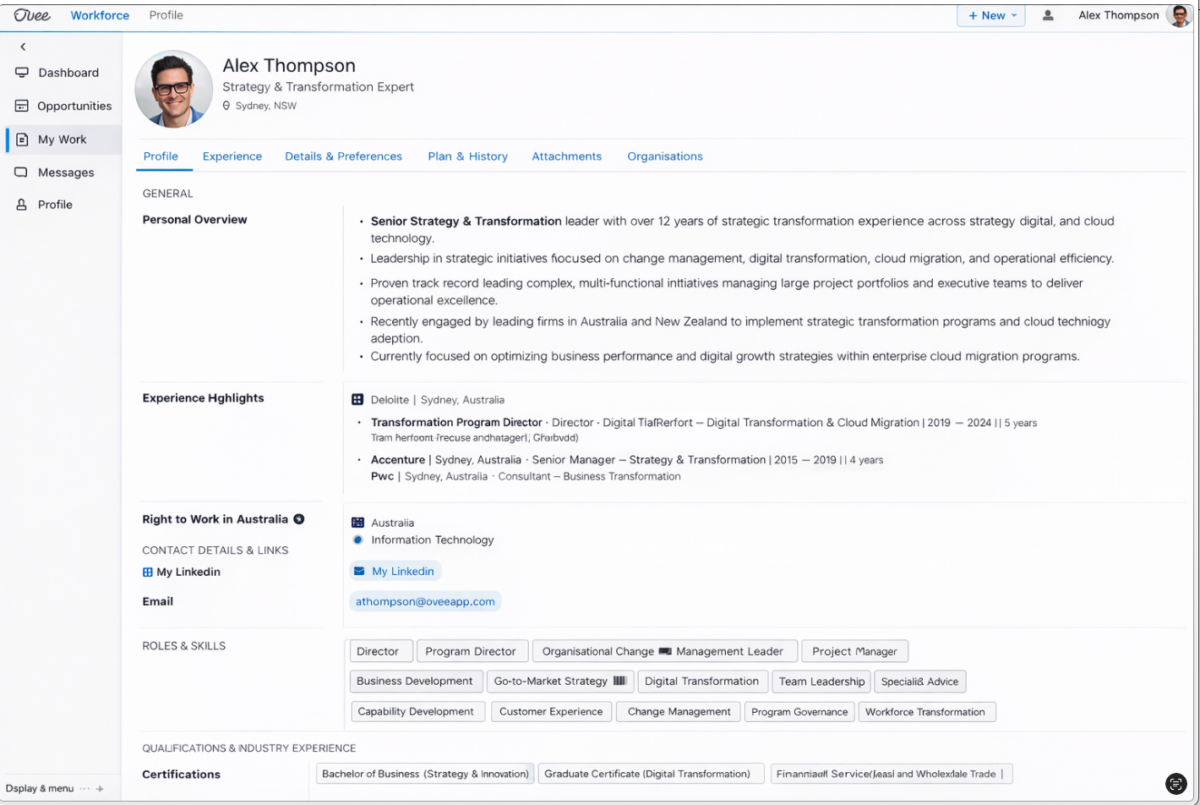
Your Ovee Profile is the core of your presence on the platform.
It includes:
- Professional overview
- Experience highlights
- Roles and skills
- Domain or industry
- Right to Work status
- Contact details
A complete profile increases your chances of being matched to opportunities.
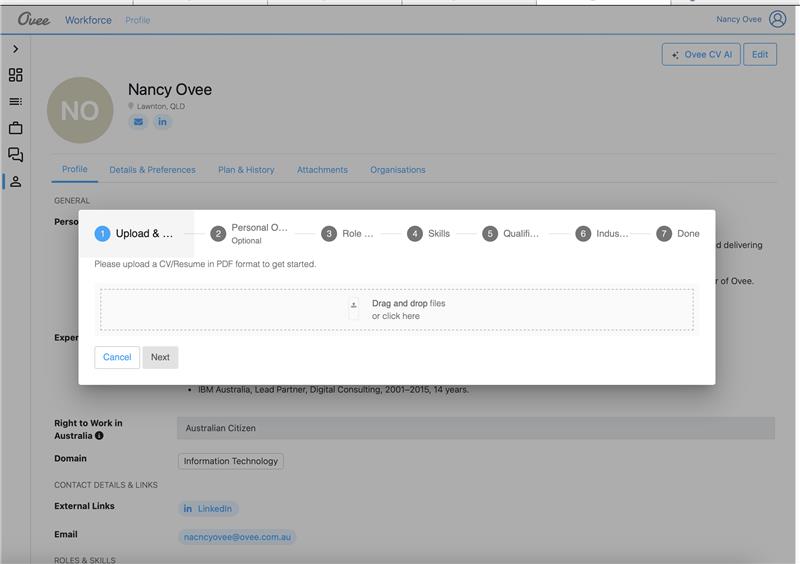
You can quickly create your profile using Ovee CV AI.
Simply upload your CV (PDF) and the system will:
- Generate your profile automatically
- Extract experience and skills
- Structure your information
You can edit everything the AI generates.
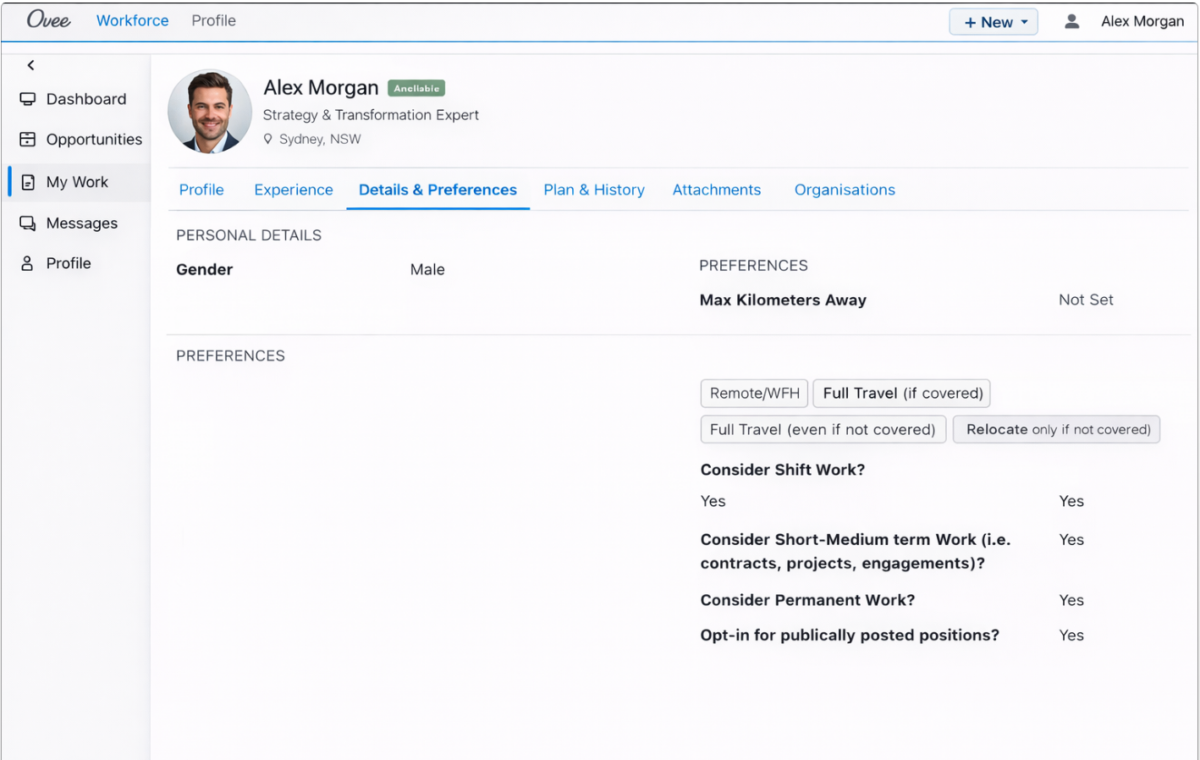
Your Preferences help Ovee match you with the right opportunities.
You can define:
- Preferred roles
- Location preferences
- Engagement types
- Working preferences
The Attachments section allows you to upload documents such as:
- CVs
- Certifications
- Qualifications
- Portfolio materials
You can upload multiple CVs and choose their visibility:
Public – visible to organisations
Private – visible only to you
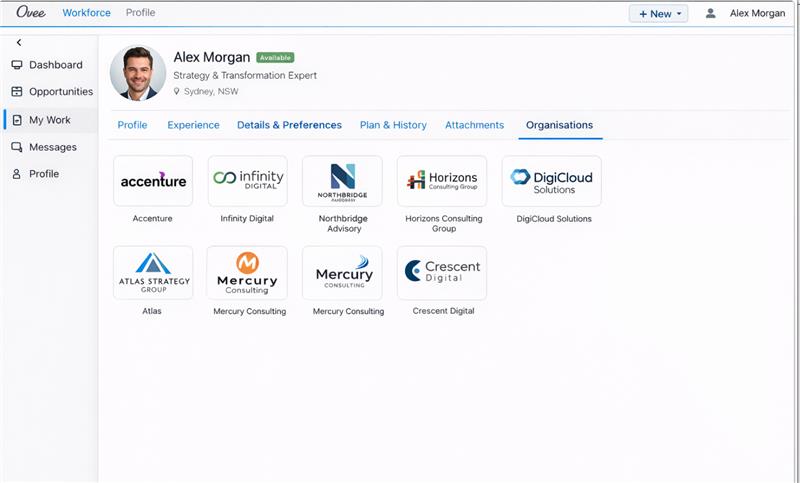
The Organisations section shows companies you are connected with on Ovee.
Connected organisations can:
- Send you opportunities
- Communicate with you
- Engage you for work

To maximise your opportunities on the Ovee platform:
A well-maintained profile increases your chances of receiving relevant opportunities.
Let’s build a smarter workforce ecosystem
See and Mobilise Talent Across Your Entire Ecosystem
Ovee helps organisations understand, connect and mobilise talent across their entire workforce network, enabling teams to discover expertise faster and respond to opportunities with greater agility.

Why Organisations Use Ovee